Yoto Player (3rd Gen)
Screen-free audio for kids. Cards in, story out.
The fullest-featured screen-free audio player for kids — a wide content library and strong build quality, at the cost of paying per card rather than a flat subscription.
Pros & cons
- No screen for the child to interact with — the pixel display shows icons, a clock, or a night-light face, not video
- Wide first-party card library across stories, music, podcasts, and audiobooks, plus a free Yoto Daily/Radio stream
- Make Your Own (MYO) cards let a parent load their own audio or library content through the app, so content isn't limited to official releases
- Parents manage everything through the companion app; the child only ever touches the physical device and cards
- Requires the Yoto app for setup, content management, and any MYO card programming
- Official cards typically run $10–$20 each, so a real library adds up fast beyond the starter cards included
- Rechargeable battery means it eventually needs replacing, unlike a purely mechanical device
How it works
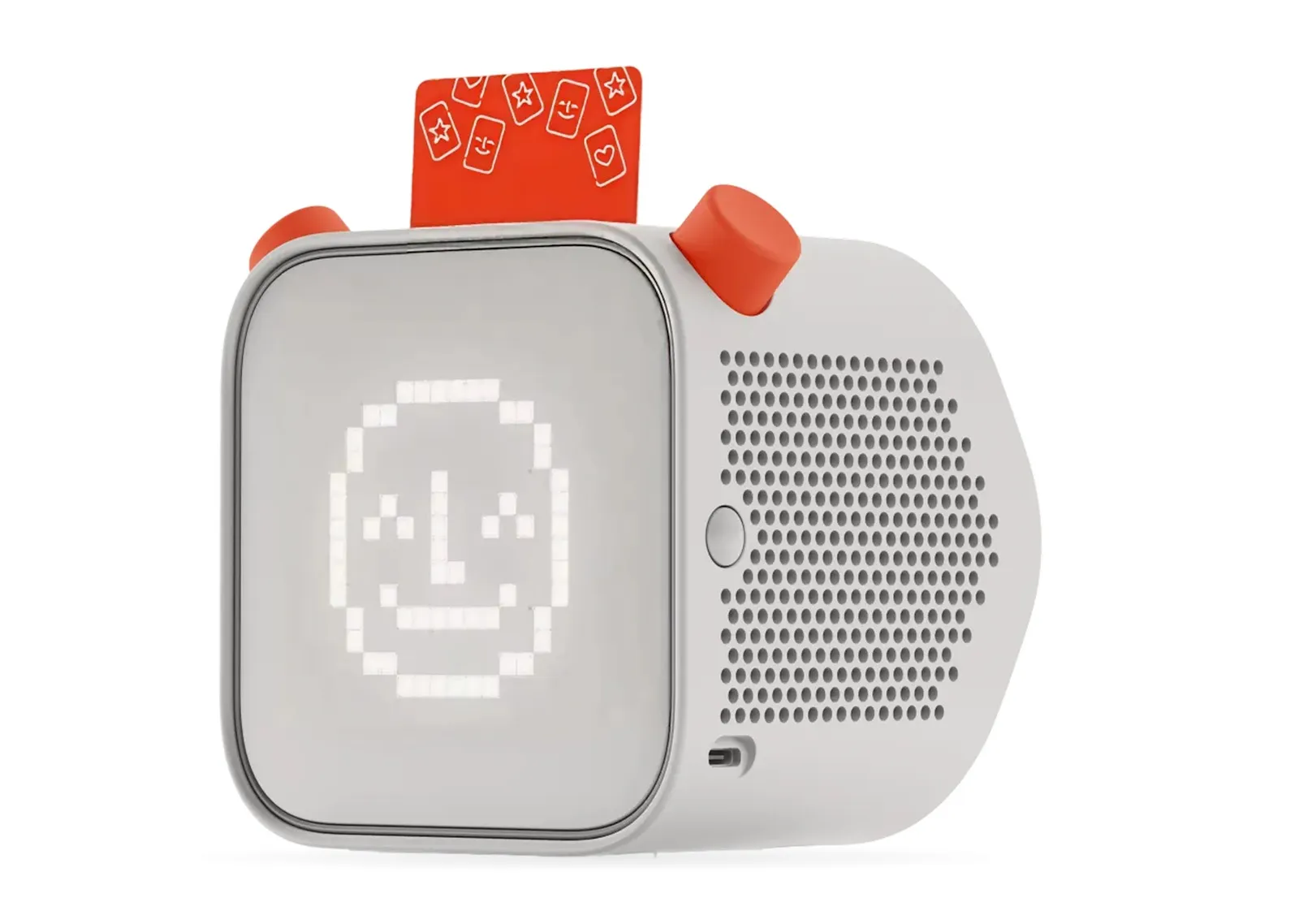
According to manufacturer specifications, the Yoto Player is a speaker with a card slot on top and a small pixel-art screen that displays icons, the time, or a night-light face — never video or a feed. Inserting a physical card starts playback immediately; removing it stops the audio. There's no touchscreen, no camera, and no way for a child to browse content on the device itself — that happens only through the parent-facing app before a card is ever handed over.
Content and ongoing cost
Yoto's official card catalog spans licensed stories, music, audiobooks, and podcasts, and the device also streams a free rotating Yoto Daily and Yoto Radio without any card inserted, per the manufacturer. Blank "Make Your Own" cards let a parent load their own audio — personal recordings, library audiobooks, podcasts — through the app and assign it to a physical card. The starter set includes a handful of cards, but building out a real library means budgeting for more: official cards commonly run $10–$20 each.
Build and daily use
The Yoto Player runs on a rechargeable battery and is built to survive being handled and dropped by kids, according to user reports. Volume and playback are controlled with a physical dial and buttons rather than a touchscreen, and a night-light mode dims the display for bedtime use. It's larger than the Yoto Mini, which trades some of this footprint and battery life for a lower price.
Who should buy it
The Yoto Player suits families who want the fullest version of the screen-free audio experience — the widest content selection, the best build quality in the lineup, and a device that can plausibly be the household's main kids' audio system rather than a travel unit. It's the strongest pick for a first screen-free device in a household with more than one child sharing it.
Who should skip it
Families on a tighter budget, or buying primarily for a younger toddler who's rougher on devices, may prefer the smaller and cheaper Yoto Mini instead — same card system, smaller body. Anyone who specifically wants a figure-based interface rather than cards should look at the Toniebox instead; the interaction model (place a figure on top vs. insert a card) is a real preference difference, not just a price one.
The bottom line
The Yoto Player is the category's most capable screen-free audio device. The tradeoff is ongoing card cost rather than a subscription — a different shape of expense than Toniebox's per-figure model, but a real one to budget for.
Vs. closest alternative
Yoto Player and Toniebox solve the same problem — screen-free audio for kids — with different interfaces. Yoto uses printed cards inserted into a slot; Toniebox uses soft collectible figures placed on top. Yoto's card library and MYO (Make Your Own) system give it the wider content range and the option to load your own audio; Toniebox's figures are more toddler-proof and the tactile "place it on top" gesture is simpler for very young kids. Families building a household system that older kids will also use tend to prefer Yoto's flexibility; families buying mainly for toddlers often prefer Toniebox's simplicity and durability.
The most capable screen-free audio player for kids — cards in, story out, with a genuinely wide content library behind it.
FAQ
Does the Yoto Player have a subscription fee?
No recurring subscription is required to use the device. Cost comes from buying individual cards (commonly $10–$20 each) or loading your own content onto blank Make Your Own cards through the app.
Can a child use it without help from a parent?
Yes, for playback — inserting a card and adjusting the volume dial requires no app or account. Setup, content management, and programming new cards all happen in the parent-facing app first.
What's the difference between the Yoto Player and Yoto Mini?
Per manufacturer specifications, the Player is larger with a bigger speaker and longer battery life; the Mini is smaller, more portable, and less expensive, aimed at younger kids or as a second/travel unit. Both use the same card system and app.