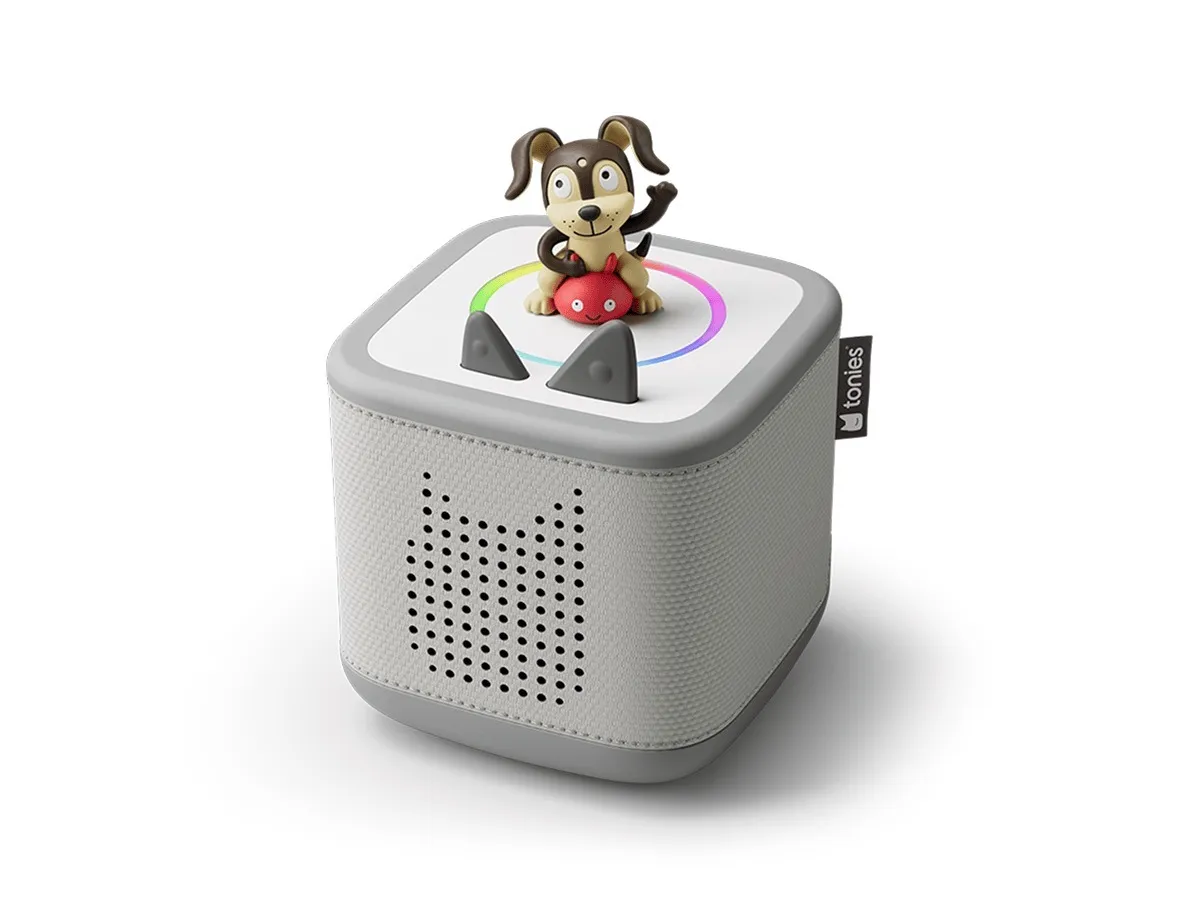
Toniebox 2 Starter Set
Place a figure on top. It plays. That's the whole interface.
The simplest interface for the youngest listeners — a figure on top, nothing to browse — at the cost of a per-figure library that adds up.
Pros & cons
- Interface is as simple as it gets: place a Tonie figure on top to play, remove it to stop
- Soft, drop-proof body designed for toddlers, according to the manufacturer
- Second-generation box adds Bluetooth, a sunrise alarm and sleep timer with a light ring, and 32GB of storage (up from 8GB on the original)
- USB-C charging replaces the original's bulky charging dock, according to user reports
- Each story or album is a separate physical Tonie figure, commonly ~$15 each, so a real library is a real ongoing cost
- Tonieplay interactive games require a physical controller accessory; user reports describe the games as unusable if it's lost
- Some users report the box misreads an accidental tilt as a skip or rewind command
- Requires the Tonies app for setup and content management
How it works
The Toniebox plays audio when a Tonie figure — a small, character-shaped figurine with content stored on it — is placed on top of the box, and stops when it's removed. According to the manufacturer, there's no card slot, no menu, and nothing for a child to navigate on a screen; the entire interface is picking up a figure and setting it down. The second-generation box adds a colorful light ring that shows battery level and volume, and Bluetooth connectivity.
The library and ongoing cost
Starter sets include a small number of figures, and building out a real library means buying more — commonly around $15 per figure, according to current retail pricing. This is a different cost shape than a card-based system: each figure is a single title rather than a card that can be reprogrammed, so a Toniebox library is closer to a physical media collection than a reusable content library.
Build and daily use
The Toniebox is built to be handled and dropped by toddlers — a soft, rounded body rather than a hard shell, according to the manufacturer. The second-generation model's battery runs roughly 10 hours per charge, an improvement over the original's roughly 7, per manufacturer specifications, and charges over USB-C. The optional Tonieplay games add a physical controller and discs; user reports describe them as a fun extra but note the controller is easy to lose and the discs can wear out.
Who should buy it
The Toniebox suits younger kids — toddlers and early preschoolers especially — who benefit from the tactile place-it-on-top gesture more than a card slot, and families who prefer collecting physical figures for favorite stories and characters over a card-based library.
Who should skip it
Families who want the widest content library and the option to load their own audio should look at the Yoto Player instead — its card system and Make Your Own feature give it a wider and more flexible catalog than Toniebox's per-figure model. Anyone budgeting carefully for ongoing content cost should compare per-title pricing between the two systems before committing to either ecosystem.
The bottom line
The Toniebox is the simplest interface in the category — a figure on top, nothing to browse, nothing to misclick. The tradeoff is a per-figure library that adds up like a physical media collection rather than a flat subscription or reusable card system.
Vs. closest alternative
Toniebox and Yoto Player solve the same problem with different interfaces: Toniebox uses soft collectible figures placed on top, Yoto uses cards inserted into a slot. Toniebox's figures are more toddler-proof and the gesture is simpler for very young kids; Yoto's card library and Make Your Own system give it a wider and more flexible catalog, including the option to load your own audio. Families with younger toddlers often start with Toniebox; families wanting one system to grow with older kids often prefer Yoto.
Place a figure on top and it plays — the simplest possible interface for the youngest screen-free listeners, with a per-figure cost to match.
FAQ
How much does it cost to build a Toniebox library?
Each story or album is a separate Tonie figure, commonly around $15. A handful of figures come with the starter set; a real library of a dozen or more figures is a meaningful ongoing cost, closer to buying physical media than a subscription.
What's new in the Toniebox 2 versus the original?
According to the manufacturer, the second generation adds Bluetooth, a light ring showing battery and volume, a sunrise alarm and sleep timer, 32GB of storage (up from 8GB), USB-C charging in place of the original's charging dock, and roughly 10 hours of battery life versus roughly 7 on the original.
Do I need the Tonies app to use it?
Yes, for initial setup and to manage content and settings. Day-to-day playback for the child is entirely physical — place a figure on top, no app or screen involved.