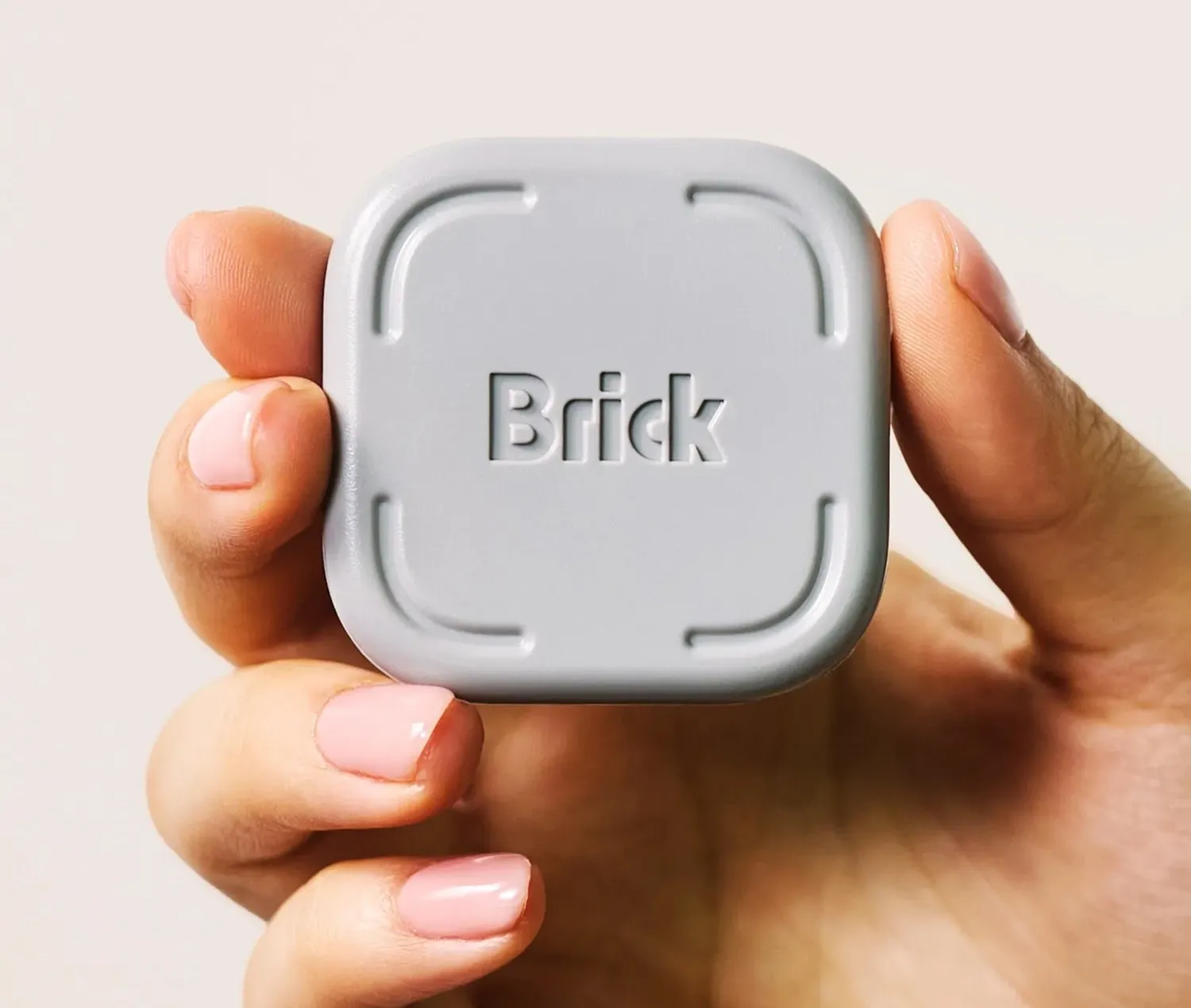
Brick
Put it out of reach. Block what's in the way.
Well-designed friction — the physical unlock is real. But it's not a hard lock, and app-level enforcement has known bypass routes for motivated users.
Pros & cons
- Works with both iOS (via Screen Time) and Android
- Physical distance requirement adds genuine, hard-to-ignore friction
- Blocks chosen apps only — calls and allowed apps still work
- No battery in the wall device; the tag is always on
- App and subscription required — not a mechanical solution
- Determined users can delete the app, reset Screen Time, or use a second device
- Ongoing subscription cost for full functionality
- Significantly less absolute than a timer container with no override
What Brick is
Brick is a two-part system: a physical NFC device that plugs into a wall outlet and a companion app installed on your phone. According to the manufacturer, you configure which apps to block — typically social media, short-video feeds, or browsers — then place the Brick device somewhere inconvenient: a different room, a car, or a workplace. When you're away from the device, those apps stay blocked. To unblock them, you must physically go to the Brick and tap your phone against it. The lock is the physical location of the device, not a timer.
How strong is the lock?
Brick's enforcement depends on the app layer. On iOS, it uses Apple's Screen Time framework — which means a sufficiently motivated user can bypass it by disabling Screen Time (though doing so requires a PIN, which can be managed by a second person). On Android, Brick uses device administration permissions. This is not a hard lock in the way a mechanical timer is; user reports describe it as effective for reducing habitual scrolling but insufficient for zero-access scenarios. The physical distance element — you have to get up and walk somewhere — is the genuine deterrent, not an unbreakable cryptographic lock.
Who should use Brick
Brick is best for people who want to reduce phone use during specific periods — work hours, evenings, family time — without cutting off access entirely in case of emergencies. The distance mechanic is more forgiving than a timer container: you can still reach your phone by walking to the Brick. User reviews consistently describe it as effective for building better habits, particularly when placed in a location that requires meaningful effort to reach.
Who should skip it
If you need a zero-override lock — for serious screen-habit recovery, for a child's device, or for deep-focus work where even "a quick walk" isn't a sufficient barrier — Brick's app-based enforcement is a weakness. A motivated user can remove the app or use a secondary device. For those scenarios, the Kitchen Safe's mechanical timer is the more reliable choice because no amount of effort can open it before time runs out.
The bottom line
Brick is a well-designed friction tool for adults who want to reduce habitual phone use without a complete lock. The physical mechanic — you have to walk to another room to unlock Instagram — is genuinely effective according to user feedback. But it's a complement to willpower, not a replacement for it. At ~$99 plus potential ongoing subscription costs, it's a meaningful commitment for what is ultimately friction rather than a hard lock.
Vs. closest alternative
Brick and Unpluq both use NFC and a companion app to restrict access. The key difference is location: Brick's device is fixed to a wall outlet, so accessing blocked apps requires physical travel to wherever the Brick lives. Unpluq's tag travels with you on your keychain, so the barrier is a deliberate tap rather than distance. Brick is the stronger lock; Unpluq is lighter friction and costs roughly a third of the price (~$29 vs. ~$99). For Android users who want the gentlest possible intervention, Unpluq wins on price. For anyone who needs the unlock to require physical travel, Brick wins.
Creates real friction by putting the unlock mechanism in another room — but it's only as strong as the app layer beneath it.
FAQ
Does Brick work on iPhone?
Yes. On iPhone, Brick uses Apple's Screen Time framework to enforce app blocking. A PIN is required to disable it. iOS restrictions on third-party apps mean the implementation is less seamless than on Android, but user reports indicate it is functional.
Does Brick require a monthly subscription?
According to the manufacturer, a subscription is required for full functionality. Check current pricing before buying — pricing tiers may have changed since this research was conducted.
Can I block only specific apps and keep others accessible?
Yes. You configure which apps are blocked in the Brick app. Phone calls, messages, and any apps you choose to allow remain accessible without needing to visit the Brick device.